Hi,
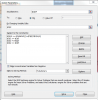
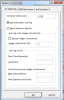
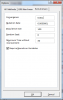
I have a setup on solver with one of the constraints given an "integer" constraint. Also, it is limited between min-max values(positive) from two other cells. I have a display cell that shows the current value of the constraint when solver is running and I noticed that certain values are showing are non-integers. Meaning solver is using non-integer values to create a solution population. Though at the end of solver run, the solution meets all constraints. Is there a way to make solver to not consider non-integer values even when creating the population. I figure it will run faster.
I have a setup on solver with one of the constraints given an "integer" constraint. Also, it is limited between min-max values(positive) from two other cells. I have a display cell that shows the current value of the constraint when solver is running and I noticed that certain values are showing are non-integers. Meaning solver is using non-integer values to create a solution population. Though at the end of solver run, the solution meets all constraints. Is there a way to make solver to not consider non-integer values even when creating the population. I figure it will run faster.