
• Hi All

    Please note that at the Chandoo.org Forums there is Zero Tolerance to Spam

    Post Spam and you Will Be Deleted as a User

    Hui...

  • When starting a new post, to receive a quicker and more targeted answer, Please include a sample file in the initial post.

Index Match from Pivot Table using Multiple Criteria

Jake

New Member
Chandoo.png
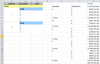
Thank you in advance for your help on this problem. I am trying to pull data into one sheet from a pivot table and have been able to do so using a nested if function in an index match function, for example in cell C4 I would put:
=index(G$2:G$24,match(A3,if($F$2:$F$24=$B$4,$E$2:$E$24),0))

The problem I've encountered is that the formula will work in the first group (rows 4 - 7) but not the second (rows 9 - 11). Any ideas?

Also, is it possible to do an array in cells that are not consecutive, i.e. cells B4:B7 & B9:B11?

Due to obvious proprietary issues I can't post images from the actual spreadsheet but I'm doing my best to explain the issue.

Thanks again!

Jake
 
Before getting too far, have you looked at the GETPIVOTDATA function? Since the info is already in a PivotTable, it might be easier to get the information that way, and use variables for the row/column labels. What's messing you up in current formula is the blank rows of first Row header
 
Thanks for your help Luke. I have tried the GETPIVOTDATA function and maybe I don't know how to use it well enough but I have a pivot table with multiple measures across columns (ie, 1 wk sales, 1 wk sales chng %, 4 wk sales, etc.).

Chandoo.png

From what I could tell, the GETPIVOTDATA function works well in an instance like below where it is a pivot table of one measure:
ZA006051149.gif


I'm trying to use a formula that I can drag across columns and hence went with the index match.

I am open to any suggestions though.

Thanks again!
 
Hi Jake,
See attached file for example of GETPIVOTDATA with multi columns. Also, one other question, your formula output table looks like it will be identical to the PivotTable. Is there a difference that I'm missing, aka, why not just use the PT?
 

Attachments

Assuming then that the file is to be sent off somewhere, and it won't still be linked back to the PT, can you just copy - paste values from the PT to your output file?
 
It's linked to the PT that is linked to an OLAP cube. Trying to automate as much as possible but we're probably overdoing it haha
 
In that case, you could do this in cell A2
=IF(E3="","",E3)
And just copy it down and to the right as much as you need, and it will essentially duplicate the PT. :)
 
I am going to explore that route. Any reason why I would be getting the #REF error when plugging in the getpivotdata function you gave me?
 
If a column label is incorrect? Or, it also doesn't like the first argument to just be a cell reference. I think in the sample file I posted I had to use the TEXT function to make sure the first argument is a string, and not a cell reference.
 
Not column labels...I'm using the TEXT function you've mentioned but still not working. Still plugging away at it.
 
=GETPIVOTDATA(TEXT(D$3,"@"),'Subsegment Trending Data'!$D$1,"UDA_SUBSEGMENT",$B5,"UDA_NATURAL_INGRED",$C6)


mt → en​
UDA_NATURAL_INGRED
 
Hmm, that looks right. I'll admit, I'm not sure why that was giving you a #REF! error. :(
 
I don't have much experience with OLAP cubes, but I wouldn't think so. Once it's in the PivotTable, the other formulas shouldn't be caring about the source...
 
Back
Top