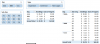
I have a sales bookings data by Org., Sub-Org. and Opportunity Type and in a separate table targets for each combination.
I'd like to create a pivot table that shows the Bookings and Targets together. Both the bookings an Targets should change appropriately based on the Slicer values chosen.
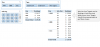
How can I achieve that?
I suppose power pivot is an option but want to avoid that given (if I'm not mistaken) a report made using power pivot will require the recipient to have power pivot installed too.
In any case, I'd like to avoid power pivot if there is another (hopefully not too complicated) way to do it.
Attached is a sample file.
I'd like to create a pivot table that shows the Bookings and Targets together. Both the bookings an Targets should change appropriately based on the Slicer values chosen.
How can I achieve that?
I suppose power pivot is an option but want to avoid that given (if I'm not mistaken) a report made using power pivot will require the recipient to have power pivot installed too.
In any case, I'd like to avoid power pivot if there is another (hopefully not too complicated) way to do it.
Attached is a sample file.