
• Hi All

    Please note that at the Chandoo.org Forums there is Zero Tolerance to Spam

    Post Spam and you Will Be Deleted as a User

    Hui...

  • When starting a new post, to receive a quicker and more targeted answer, Please include a sample file in the initial post.

How to stop calculations in table and pivot table?

KC E

Member
Hello,

I use Excel 2013.

I have a table that has columns which calculate if an item is 1-30 Days Out, 31-60 Days Out, etc., by subtracting today's date from the target completion date of a project.
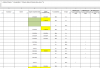
upload_2015-2-2_12-37-43.png

Question 1:
How do I get Excel to freeze this data and its associated pivot table at one point time so that the formulas do not recalculate when I open the file or when I refresh the pivot table?
  1. Do I just change all formulas to values?
  2. Do I change the calculations to Manual Calculate or does #1 solve everything?
Question 2:
Will Excel recalculate those formulas in the raw data even if I just open the workbook? I know it will update the pivot table when I refresh the pivot table.

Question 3:
Problem when I changed all formulas to values: I tried changing the formulas to values on an old workbook by:
  • changed the calculations to Manual Calculate b/c I didn't know if it would recalculate when I pasted as values.
  • changed all formulas to values
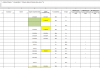
  • refreshed the pivot table and the numbers changed in the pivot table and I don't know why! I thought the numbers would stay the same b/c I changed all formulas to values. Did Excel have the formulas in its memory or cache so it updated the pivot table from that memory or cache? What happened?
 

Attachments

  • upload_2015-2-2_12-32-10.png
    upload_2015-2-2_12-32-10.png
    24.3 KB · Views: 5
Q1.1: I would change your formulas a little bit. Let's pick a cell somewhere, call it CurDate. In this cell, put the formula:
=TODAY()

In all your other formulas, replace the TODAY() bit with a reference to CurDate, e.g.:
=IF(Q3>CurDate,"",1)

The advantage with this setup now is that to toggle calculations to "stop", we just have to change the one cell, CurDate, to be a static value! This also lets any future users easily see when report was last updated, like a "Correct as of ...." statement.

You could change your formulas to values, but this would be much more work.

Q1.2: Above step would fix this. Avoid manipulating Calculation mode, as it can cause havoc, and it's not a "by workbook" setting, but rather an application level setting.

Q2. Correct, raw data would be getting calculated on each workbook open. PivotTable would only update if you choose to refresh.

Q3. I'm guessing the formulas had already updated before you copy/pasted, but the PT had not been refreshed. Further bonus if you take advice on #1, you'll be able to "go back in time" if need be.
 
Q1.1: I would change your formulas a little bit. Let's pick a cell somewhere, call it CurDate. In this cell, put the formula:
=TODAY()
1. Do you mean you would name the cells CurDate or that you label the column heading as CurDate?
In all your other formulas, replace the TODAY() bit with a reference to CurDate, e.g.:
=IF(Q3>CurDate,"",1)
2. I see what the formula means, but this is related to #1. Do you mean I would put the named range CurDate in the formula or I would put the cell reference, $Q2, or whatever it may be, where you have CurDate?
The advantage with this setup now is that to toggle calculations to "stop", we just have to change the one cell, CurDate, to be a static value! This also lets any future users easily see when report was last updated, like a "Correct as of ...." statement.
3. 'we just have to change the one cell, CurDate, to be a static value' I see what you mean is leave the =IF(Q3>CurDate,"",1) as a formula, but do you mean instead of putting TODAY() in the CurDate column, just hard code the date in the cell by typing today's date in the cell?
You could change your formulas to values, but this would be much more work.

Q1.2: Above step would fix this. Avoid manipulating Calculation mode, as it can cause havoc, and it's not a "by workbook" setting, but rather an application level setting.

Q2. Correct, raw data would be getting calculated on each workbook open. PivotTable would only update if you choose to refresh.

Q3. I'm guessing the formulas had already updated before you copy/pasted, but the PT had not been refreshed. Further bonus if you take advice on #1, you'll be able to "go back in time" if need be. I see. Since Q2 above is true then that could be what happened. I just thought I saw the raw data stay the same but I was only looking at the first few rows.

Thank you for your help. If you would not mind following up on the questions in red (except for Q3, which is just a comment).
 
CurDate is the name of a single cell.

Yes, put the named range in the formula rather than the TODAY function.

See attached for an example, may help clarify.
 

Attachments

Back
Top