Hi All,
I have a problem in excel 2013 Grouping option.
I have created dates and number of tickets created for over a period of time (3 years). I group data on Days to get weekly report. Upon grouping, I see that for some week there is no data. So I want it to appear as "Zero" for that week. But what I see is that week does not appear in the grouped data list.
Can you please help me? Your help will be greatly appreciated.
By the way I work on Excel 2013.
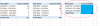
This is what I am trying to explain - I have selected May 2014 as Created Month and I have daily data hence have grouped it as Days. But you can see that 5/12/2014 - 5/18/2014 and 5/19/2014 - 5/25/2014 is missing. I know they have no value but I want it to appear as zero so that my graph appears correct.
4/28/2014 - 5/4/2014 4
5/5/2014 - 5/11/2014 9
5/26/2014 - 6/1/2014 1
Please help me!
Thanks in advance
I have a problem in excel 2013 Grouping option.
I have created dates and number of tickets created for over a period of time (3 years). I group data on Days to get weekly report. Upon grouping, I see that for some week there is no data. So I want it to appear as "Zero" for that week. But what I see is that week does not appear in the grouped data list.
Can you please help me? Your help will be greatly appreciated.
By the way I work on Excel 2013.
This is what I am trying to explain - I have selected May 2014 as Created Month and I have daily data hence have grouped it as Days. But you can see that 5/12/2014 - 5/18/2014 and 5/19/2014 - 5/25/2014 is missing. I know they have no value but I want it to appear as zero so that my graph appears correct.
4/28/2014 - 5/4/2014 4
5/5/2014 - 5/11/2014 9
5/26/2014 - 6/1/2014 1
Please help me!
Thanks in advance