• Hi All

    Please note that at the Chandoo.org Forums there is Zero Tolerance to Spam

    Post Spam and you Will Be Deleted as a User

    Hui...

  • When starting a new post, to receive a quicker and more targeted answer, Please include a sample file in the initial post.

HOW TO DELETE BLANK COLUMNS

VDS

Member
@ Dear All,

As per the attached file, please suggest any solution to remove the blank columns with a single function / macro. Like Column C, Column G, Col E in a single stretch.

When I try to use the command of F5 + Reference + Special and activate the check box "Blanks", it highlights the blank columns. But deleting the entire columns with right mouse click.

VDS
 

Attachments

  • upload_2013-11-20_14-34-21.png
    upload_2013-11-20_14-34-21.png
    68.5 KB · Views: 5
Hi VDS,

Use below code in a macro, give a shortcut to it. It will delete the entire column on which your cursor will be.

Code:
Sub Del_Col()

    ActiveCell.EntireColumn.Select
    Selection.Delete Shift:=xlToLeft

End Sub

Somendra.
 
@Somendra

This function is working nicely.

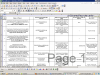
Is it the same function equal to Control + Space Bar (Selection Column) and pressing the - sign on the numeric key pad ?. If column is deleted with the numeric key pad, it can be retrieved. But Column is deleted with the "Del_Col () Function" it can not be retrieved. What may be reasons. Is it possible to delete multiple columns (more than one) if they are blank as mentioned in my screen print.

Awaiting your suggestion

VDS
 
@VDS
Yes the function is same equal to Control + Space Bar (Selection Column) and pressing the - sign on the numeric key pad. Only difference is you reduce number of steps to achieve it from 2 to 1, if you assign a shortcut to macro.

Any action done by macros can't be Undone. So be careful before using them.

Yes you can delete multiple columns with a little change in code as mention below.

Code:
Sub Del_Col()

    Selection.EntireColumn.Select
    Selection.Delete Shift:=xlToLeft

End Sub

Select at least one cell in all the blank column and press the macro shortcut. It is Done.

Hope this will help you.

Somendra.
 
@VDS
Yes the function is same equal to Control + Space Bar (Selection Column) and pressing the - sign on the numeric key pad. Only difference is you reduce number of steps to achieve it from 2 to 1, if you assign a shortcut to macro.

Any action done by macros can't be Undone. So be careful before using them.

Yes you can delete multiple columns with a little change in code as mention below.

Code:
Sub Del_Col()

    Selection.EntireColumn.Select
    Selection.Delete Shift:=xlToLeft

End Sub

Select at least one cell in all the blank column and press the macro shortcut. It is Done.

Hope this will help you.

Somendra.
 
@Somendra Misra

This is also Okay.
Suppose my worksheet is 20 columns (10 each for both i.e, blank and filled data), in such a case, I have to select 10 times of each column (blank) and use function. Depending of large volume of data, selection will also increase. Can you cut short this ?

VDS
 
@VDS

Use the code below, and see if this is helpful.

Code:
Sub Del_col()

    Selection.SpecialCells(xlCellTypeBlanks).EntireColumn.Select
    Selection.EntireColumn.Delete
End Sub

Note: This code will also delete any column with one cell blank also. So all the columns with data should not have empty cell.

Somendra.
 
@Somendra
It gives error message
Cannot use this command on overlapping selections.

Could u pls rectify

VDS
 

Attachments

  • upload_2013-11-20_18-21-10.png
    upload_2013-11-20_18-21-10.png
    42.6 KB · Views: 6
@ Somendra

The function
Sub Del_col()

ActiveCell.EntireColumn.Select
Selection.Delete Shift:=xlToLeft

End Sub
is too good. However, the function

Sub Del_co2()

Selection.SpecialCells(xlCellTypeBlanks).EntireColumn.Select
Selection.EntireColumn.Delete
End Sub

Works maximum of 3-4 columns together.

I have slightly changed the name of function for multiple column as "Sub Del_co2"in order to avoid the clash.

Anyway, the function of "single column delete" will solve the purpose for the time being.

Thanks for your entire support and I shall continue to give posting on different subjects.


VDS
 
Back
Top