• Hi All

    Please note that at the Chandoo.org Forums there is Zero Tolerance to Spam

    Post Spam and you Will Be Deleted as a User

    Hui...

  • When starting a new post, to receive a quicker and more targeted answer, Please include a sample file in the initial post.

How to add next date in the cell adjacent to each other. (A1, B1)

Jagdev Singh

Active Member
Hi Experts,

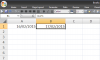
Could you please help me with the formula through which I can add the dates in the cells adjacent to eachother..Ex A1 - 16/02/2015 and B1 - 17/02/2015.

I know there is a way if I add a date in the following format - 02/16/2015 in A1 cell

B1 = A1+1

But it is not working when I am using the format dd/mm/yyyy

Regards,
JD
 
Ok see the following 2 examples, hope it helps:

Use this if you you need date increment column wise:
=DATE(YEAR($A1),MONTH($A1),DAY($A1)+COLUMN(A1))

And this for row wise:
=DATE(YEAR(A$1),MONTH(A$1),DAY(A$1)+ROW(A1))

Regards,

Khalid
 
Hi Jaggi ,

Note the following :

The formula in B1 , =A1 + 1 , is valid only if the data in A1 is numeric , which it will be if Excel recognizes that what has been entered in A1 is a valid date.

A date is valid if it is in accordance with the system date format ; if the system date format in your system is mm/dd/yyyy , then you have to enter the date in A1 in that format ; formatting the cell can then display it in what ever is the chosen format , but if Excel has to recognize the entered date as a valid date , it has to be entered in the system date format , not in the cell format.

Thus , if my system date format is mm/dd/yyyy , Excel will recognize a date only if it is entered in this format ; if I enter today's date as 16/2/2015 , Excel will interpret it as text , and not as a valid date. However , after entering it as 2/16/2015 , I can format the cell to display it as 16/02/2015.

Thus , all you have to do is enter the date in A1 in the correct format ; thereafter you can enter the formula in B1 as =A1 + 1 and copy it across. Then you can format the entire range to display the dates in dd/mm/yyyy format.

Narayan
 
Back
Top