• Hi All

    Please note that at the Chandoo.org Forums there is Zero Tolerance to Spam

    Post Spam and you Will Be Deleted as a User

    Hui...

  • When starting a new post, to receive a quicker and more targeted answer, Please include a sample file in the initial post.

Highlight cells in different rows

Paul Bergholtz

New Member
Hi everyone,
I wonder if it's possible to highlight cells in different rows according to the color of a cell? Example:
Cell A1 is red, A2 is yellow, A3 is blue. On a schedule for shiftworking people, red means night, yellow afternoon and blue is daytime. If I click on the (red) cell, I want the color in the red cells change but only as long as my mousebutton is pressed! Or if it's possible to use a "Mouse-over"-effect.

Regards,

//Paul
 
Hi Paul,

See the attached file. The file uses Rollover technique and CF rule. See if this meets your requirement.


Regards,
@ SM : I tried to figure it out how does hyperlink function is working with UDF function (highlightseries) here for mouse hovering. Can you please elaborate as i am new to vba. I will be very grateful to you.
 
Ok, let take this one step further :) !
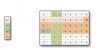
Assume that you have a row from A1 - A4 with different colors ( see picture). In cell A1 you have a cell filled with light orange. When you move your mouse over this color, the color in the chart should change to , say, bright red. Is this possible?
Regards,

//Paul
upload_2014-6-25_17-53-20.png
 
Ok, let take this one step further :) !
Assume that you have a row from A1 - A4 with different colors ( see picture). In cell A1 you have a cell filled with light orange. When you move your mouse over this color, the color in the chart should change to , say, bright red. Is this possible?
Regards,

//Paul
View attachment 7930

Are you talking about chart of numbers?

And if so, which part is bright red in that?

Regards,
 
I'm so sorry. I'll correct myself
Assume you have an area in a sheet ( Range B3 through D15). Within this range, every cell have a background color. The colors in this range, are listed from cell A1-A4. The numbers in the cells within the range are of no importance.
When I roll the mouse over a color (A1-A4), that color schould change in the range (B3 through D15). The purpose for this, is to improve the cells visibility when you have a much bigger range.
Sorry for the lack of clarity.
Regards,

//Paul
 
Hi again,
Yes, it works the way I was thinking. But I don't quite get the underneath code and what the helper cells do?
I think you're doing a great job here, and I really appreciate your help!

Regards,
// Paul
 
@Paul Bergholtz

The problem is solved in multiple steps:

1. If you go through Name Manager You will find some named formula.
2. It has two formulas to get cell colour index number one for Selection Range and one for Data range.
3. So below selection range we got the numbers and same with the data range (the first green block).
4. Than A27 is defined as selValue, which will get the value from highlightseries function.
5. Than Second green block will produce colour index from data range whose values match with selValue.
6. Finally CF rules for all the colours.

Regards,
 
Ok. Now I get it. Very clever! This is something I can work on. All this with CF and formulas is quite new to me, but it's so interesting!
Once again; Thank you very much for your help and involvement. Much appreciated.

Regards,

//Paul
 
Hi Narayan,
I'm pretty much a newbie when it comes to more advanced way's of using Excel. My goal is to learn more about VBA and macro. I used to program websites using ASP, and old database applications such as SuperBase, but I have never dug deeper in Excel besides ordinary spreadsheets application for common office-works. But my intention is to learn more!
I've downloaded the attached file. Where can I find the underneath code?
Thank you for asking.

Regards,

//Paul
 
Hi Paul ,

In Excel , the code can be found in several sections ; press ALT F11 to display the VB editor screen ; in the left side , you will see the Project Explorer , with sections labelled according to the sheet names Sheet1 , Sheet2 ,... one section labelled ThisWorkbook , and other sections if available , labelled Modules and Class Modules.

In the uploaded file , the code is in the section pertaining to Sheet3.

Narayan
 
Ok, I got it. Very smooth and "easy to understand"-code...Feel I have to get some books about VBA so I can unleash the power of this program.
Thank you very much for your help and the code. Hope it's ok if I'll come back to you, if there should be some further question.
Regards,

//Paul
 
Back
Top