• Hi All

    Please note that at the Chandoo.org Forums there is Zero Tolerance to Spam

    Post Spam and you Will Be Deleted as a User

    Hui...

  • When starting a new post, to receive a quicker and more targeted answer, Please include a sample file in the initial post.

Group of Dates to repeat and grow

screach

New Member
I have searched high and low here and on the web for this one and havn't found either the right search string or a possible solution.

Lets say I have a series of dates that are attached to a series of tasks. I want to repeat the series throughout the year. So if on Friday 1/1/16 I take out the trash, then on Friday 1/8/16 I also want to take out the trash etc....

I know you can get a single occurrences of dates to repeat and grow but I am uncertain how to get a series of dates to do the same thing. Example spreadsheet attached to help clarify.
 

Attachments

Oh and the activities correspond to a day of the week, not a specific date, (i.e. Friday the trash always gets taken out etc...)though I still would need to have the correct date attached to the activity.
 
That looks like you hit the proverbial nail on the head. I am assuming this is the formula that would need to be edited based upon the number of times a given date would run.

=INDEX(Dates,MOD(ROW(A40)-1,ActivitiesInSet)+1) + 7 * (INT((ROW(A40)-1)/ActivitiesInSet) + 1)
 
Hi ,

Since the named ranges have been defined , I don't think you need to do anything , except change the definition of the named ranges.

At present you have dates and activities listed from rows 1 through 15 ; if this changes to say rows 1 through 13 , change the definition of the named range Dates.

Start the formula , which at present is from row 16 , from row 14.

Similarly , if the number of dates and activities stretch to row 21 , after changing the definition of the named range , start the formula from row 22.

Narayan
 
Ok, this worked great in the sheet I sent you. When I try to apply it to a different sheet I get a #NAME? error. I named the named range Dates just as in the previous sheets...what else might I be missing. Thanks again for your help Narayan!
 
Ok, this worked great in the sheet I sent you. When I try to apply it to a different sheet I get a #NAME? error. I named the named range Dates just as in the previous sheets...what else might I be missing. Thanks again for your help Narayan!

There are other named ranges in Narayan's sheet, being Activities and ActivitiesInSet - go to the Name Manager and check them ...
 
Ok I think I figured it out...named sets also include activities and activitiesinset...I will mess with it further.
 
Thanks David, just saw that...I got it working perfectly now. This creates some questions. First the two additional name sets. Activities and ActivitiesInSet what is their purpose? Are they predefined functions within excel? I see ActivitiesInSet in the formula provided but not the word Activities. Just trying to garner a deeper understanding so I can learn to help myself and others in the future.
 
Thanks David, just saw that...I got it working perfectly now. This creates some questions. First the two additional name sets. Activities and ActivitiesInSet what is their purpose? Are they predefined functions within excel? I see ActivitiesInSet in the formula provided but not the word Activities. Just trying to garner a deeper understanding so I can learn to help myself and others in the future.

Great! You fixed it!
The two additional names are defined ranges, created by Narayan. They are not predefined in Excel. Named ranges are a useful tool as they make formulas more "understandable" than just Range references. I didn't look at the worksheet too closely, as I went straight to the Named Range Manager, as I figured that was your issue.
If you go to B18, you will see that the cell contains a formula
=INDEX(Activities,MOD(ROW(A3) - 1,ActivitiesInSet) + 1)
Hit F2 when in that cell and you should see the relationships of the elements of the formula ....
Wrestling with these examples provided by Narayan et al will do wonders for your Excel knowledge!
 
Ahh now it makes more sense. he used the Activities to replicate the "activities" and "dates" to replicate the dates. Things are coming together. Never thought excel would be more confusing than programming hehe but I guess its like learning a new language. Thanks again David
 
Question: So lets say I need to add a row for a one time date. How can I add the row without the formula messing up for the rest of the page or do I need to add those one times to another sheet and then add that to the various calculations I make on the one sheet?
 
Hi ,

In your existing file , the set of activities which need to be repeated are in the range B1 : B15 , and their dates are in the range A1 : A15.

For this set of dates , the formulae are in the range A16 onwards.

If you need to introduce an activity which needs to be repeated every week from its starting date , then do the following :

Place the cursor in A16 and insert a row.

In this blank row , enter the starting date of the activity in A16 , and enter the activity description in B16.

Now go into the Name Manager , and modify the reference of the named range Dates ; at present , it has the following reference :

=Sheet1!$A$1:$A$15

Change this to :

=Sheet1!$A$1:$A$16

---------------------------------------------------------------------------------

If you need to introduce a new activity which does not need to be repeated , then go to the row where you wish to insert this new activity , depending on the date of the activity , insert the new row and enter the details of the new activity. Nothing else needs to be changed.

This is what I think ; you will need to check thoroughly.

Narayan
 
Narayan,

First major thanks for all your help on this. I am sorry it took so long to get back to this but had some fires that needed putting out.

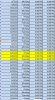
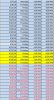
So all I needed to do was add a row that did not need repeating. Below you will see two screen shots. The first is pre-adding of the row and the second is post-addition. You can see in the post addition the days change from a routine of Friday, Monday Tuesday to include wednesday and saturday.

Pre Change
pre-change.jpeg

Post Change
post-change.jpeg


The formula as it is being used is:
=INDEX(Dates,MOD(ROW(A497)-1,ActivitiesInSet)+1) + 7 * (INT((ROW(A497)-1)/ActivitiesInSet) + 1)

Again, any and all help is greatly appreciated!
 
Hi ,

If you can upload your workbook , that will be helpful , since only a look at the definitions of the named ranges will give a clue to what has happened post the insertion of 3 rows.

I assume that these newly inserted 3 rows do not have any formulae in them.

The definitions of the two named ranges Dates and ActivitiesInSet should extend over only 3 rows ; is this correct ?

Narayan
 
Here is a workbook with bogus data (though I am sure I am showing my age by listing my childhood shows ;)..) that should help. The OTO's tab are the two inserts I am having trouble putting in.

Also if you feel I am going the wrong direction with this whole thing I am open to input. I am a database guy and at first I thought this would be a simple project for excel...truth is I could have banged this out in a MySQL database with PHP front end, queries, reports etc... in about 2 days. Now it has become my lifes mission to figure out this EXCEL stuff at a much deeper level.

Excel now needs a warning label....Excel has been shown to be highly addictive...don't use it....go back to your database world. :)
 

Attachments

Back
Top