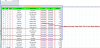
H Hany ali Active Member Dec 10, 2020 #1 Dear All ,Please I Want to get the date drom Data sheet to Total Sheet by Multiple Condition Without repetition as you sea in Photo by date start to end & Tour Name with Supplier Name thanks Alot Attachments Extract Data.xlsx Extract Data.xlsx 48.6 KB · Views: 5 72493-baa850549bc7ce7c4da20cb30fea8f21.png 6.4 KB · Views: 19
Dear All ,Please I Want to get the date drom Data sheet to Total Sheet by Multiple Condition Without repetition as you sea in Photo by date start to end & Tour Name with Supplier Name thanks Alot
herofox Active Member Dec 10, 2020 #2 hi ... You can get what you want with this formula Code: =IFERROR(INDEX(Data!$D$2:$D$325,AGGREGATE(15,6,ROW($A$1:$A$325)/(MATCH(Data!$D$2:$D$325&Data!$E$2:$E$325&Data!$K$2:$K$325,Data!$D$2:$D$325&Data!$E$2:$E$325&Data!$K$2:$K$325,0)=ROW($A$1:$A$325)),ROWS($1:1))),"") and this one to get total for any fingers Code: =SUMIFS(Data!$A:$A,Data!$F:$F,"<="&$G2,Data!$F:$F,">="&$F2,Data!$D:$D,$D2,Data!$K:$K,$E2) Attachments Extract Data1.xlsx Extract Data1.xlsx 46.8 KB · Views: 7
hi ... You can get what you want with this formula Code: =IFERROR(INDEX(Data!$D$2:$D$325,AGGREGATE(15,6,ROW($A$1:$A$325)/(MATCH(Data!$D$2:$D$325&Data!$E$2:$E$325&Data!$K$2:$K$325,Data!$D$2:$D$325&Data!$E$2:$E$325&Data!$K$2:$K$325,0)=ROW($A$1:$A$325)),ROWS($1:1))),"") and this one to get total for any fingers Code: =SUMIFS(Data!$A:$A,Data!$F:$F,"<="&$G2,Data!$F:$F,">="&$F2,Data!$D:$D,$D2,Data!$K:$K,$E2)
H Hany ali Active Member Dec 12, 2020 #3 thanks alot for you mr Herofox thats what i want exactly.... but is possible by VBA Code