
• Hi All

    Please note that at the Chandoo.org Forums there is Zero Tolerance to Spam

    Post Spam and you Will Be Deleted as a User

    Hui...

  • When starting a new post, to receive a quicker and more targeted answer, Please include a sample file in the initial post.

Data List Validation

PaulF

Active Member
Hello ALL!

I'm using =INDIRECT(Calcs!$D$8) as my list source for a Data Validation | List cell.

That indirect calls a Named Array with 4-11 selections in it.
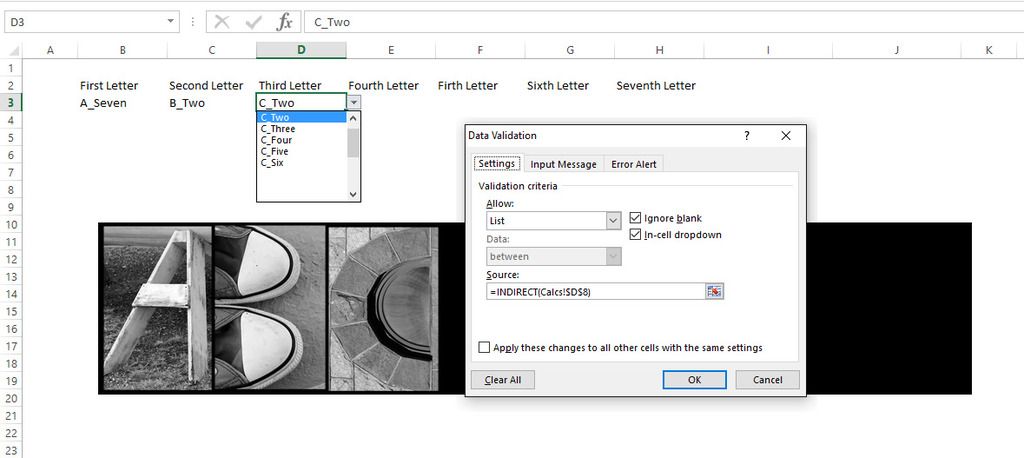
Chandoo_DataValidation_zpsugqosvkj.jpg


The Data Validation Letter Change as the client enters their name...

I would like to Auto Populate the Data Validated field with the 1st available item in the named Range.

Respectfully,
Paul F
 
Chihiro, that would explain why my search yielded - nada...

I'm a golf ball in tall grass when it comes to Excel VBA... Lost :-(

Anyone have a little code handy ??

Respectfully,
Paul F
 
There are codes out there. But it will have issue with Named Lists populated with formula. As there is no direct way to get at populated values.

For formula populated Named Range, if you look in Named Range you should see {...} as value. Where as if it is defined range you should see {"Test1"; "Text2";...}.

It may be easier to use ActiveX combobox. See link below, how to layer Combobox over data validation.

http://www.contextures.com/xlDataVal10.html

You can then easily select any item in the list using "Combobox.ListIndex = x" where x is the number.
 
Back
Top