
• Hi All

    Please note that at the Chandoo.org Forums there is Zero Tolerance to Spam

    Post Spam and you Will Be Deleted as a User

    Hui...

  • When starting a new post, to receive a quicker and more targeted answer, Please include a sample file in the initial post.

CountIF and sumif how to use?

Robi

New Member
hello there.

I would like to ask again your expert help.
I would like to use formula to sum up specific number cells incase other two cells criteria met.

My excel sheet contain from several hundred maybe few thousand rows. also some blank ones.

I have attached example of my sheet.
So you can see I have like item block where customers have their orders. INT means it is orders. So what i would like is summery in each month how much X customer order only if INT number exists at column before the customer name.

But please check the attached photo i think it tells more about it what i want.

Thank you for your support.
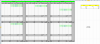
Screen Shot 2016-03-29 at 17.21.21.png
 
Hi, Of course. see attached. This is just sample. Of course in full version I have more table downwards and I have more months.

Thank you for your help.
 

Attachments

Hi, It doesn't really matter. It can be on other sheet also. I just would like to have somehow such sum table as i mentioned with yellow colour.
 
Basically good thanks. Only one thing I would like to have counted only if INT cell is not empty. Can you advise how I do that?
 
Thank you. Looks great. I also would like to understand your function. Only part I don't get is the MonthHeader, can you explain a bit?
 
Hi ,

InputData and MonthHeader are named ranges , referring to the following worksheet ranges :

InputData - =Sheet1!$A$4:$W$41

MonthHeader - =Sheet1!$A$1:$X$1

Narayan
 
Hi ,

I don't think it is easy , since in the event of data being available for the entire year , the unique list of customers will have to be derived from 12 columns of data.

Since your workbook already has a named range called Customers , if you will have that workbook also open , then you can use the formula :

=INDEX(Customers , ROW(A1))

and copy it down to get all of the customers.

Otherwise , select a range which will be big enough to accommodate all the customers , and then enter the formula :

=Customers

making sure you use CTRL SHIFT ENTER to complete the formula , so that it is entered as an array formula.

Narayan
 
I don't really get this, could you put this on the excel sheet also. You can forget about my Customers range. Just delete it. I just would like to have list of customers issued in the excel sheet under the customer column.
 
Hi ,

That is what I have said earlier , that if the named range Customers cannot be made use of , then deriving a unique list of customers from the multiple ranges of data is not easy ; doing it using formulae is extremely cumbersome , and even doing it using VBA is complicated.

Narayan
 
Back
Top