Hi Jill ,
In case the time difference delays Ken's response , I'll explain what you can do to resolve this problem yourself.
First , put the formula which you have used in the CF outside in a worksheet cell ; since your print area starts from row 7 ( I assume rows 1 through 6 form the header ) , put in I7 , and copy it down.
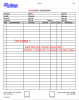
If you go into the Normal View or the Page Break View , you can see where the page breaks are ; in your file , the first page break is after row 41 , which means rows 7 through 41 form part of page 1. This is 35 rows.
This means that starting from row 7 , every 35 rows will form a page of the printout , provided there is content on that page in column A ; for example , if page 1 has to print , there should be some content in cell A7 ; if page 2 has to print , there has to be some content in cell A42 , and so on.
Thus , we need to refer to cells A7 , A42 , A77 ,....
If you put the CF formula in I7 , and copy it downwards till say I 200 , it may initially show FALSE everywhere ; now when you enter something in A7 , it may or may not change to TRUE ; keep changing the values of the numbers in the formula till you get what you want. I did this , and came up with the following formula :
=INDIRECT("$A$" & (ROW()-MOD(ROW()-7,35)))<>""
If you select your entire data range , say A7 through G200 , and apply the above formula as CF , and remove the borders you have already put in place as fixed borders , then when you enter data in A7 , you will get the first page with borders ; when you enter something in A42 , the second page will get its borders , and when you enter something in A77 , the third page will come with its borders , and so on.
However , please note that since the page breaks are not based on the number of rows but on the physical size of the page , and the margins , you need to keep the row height constant throughout your print area ; if the rows are of different heights , each page will have a different number of rows.
Narayan