• Hi All

    Please note that at the Chandoo.org Forums there is Zero Tolerance to Spam

    Post Spam and you Will Be Deleted as a User

    Hui...

  • When starting a new post, to receive a quicker and more targeted answer, Please include a sample file in the initial post.

connecting two excel files

Dalia

Member
Hi I have two questions here,
a)how can i connect two excel files (eg. book1,book2 are two excel file). so i want when book1 get updated it should automatically update book2.(please give me other exception except link as these are huge files and the rows of book1 increase everyday i want that to be updated in book2)
b) i will give an eg here
there are two workbooks book1 and book3. so we have pending request in book1 and book3. the data in book1 and book3 is same. only difference is book1 will have all the data(both pending and closed) but book3 will have only pending request. so if i close a request in book3 i want the data to get automatically updated in book1 and from book3 that data should get deleted so that only pending request remain there. how can i do that. here is the sample file below. i want the row which got closed in book3 should get deleted from that file automatically and get updated in book1.
thanks in advance
 

Attachments

Hi Dalia ,

Thank you ; is your question urgent , or can it wait for a day or two ?

I assume you want a macro for this ?

Narayan
 
hi,

no its not that urgent. we can wait.

no if we can do it via formula or anything else even that will be fine. :)
 
hi @NARAYANK991

I am unable to run the macro as there is a debugging error. I have added some data and tried it as both are dynamic. please find attached the two files as there is a run time error. showing error on "
If Active_wbk Is Nothing Then
MsgBox EXTERNALFILE & " is not found !", vbCritical"


can you help me on that
 
Hi Dalia ,

I tried out with the two files you uploaded , and I am not getting any error.

You can see both the files now.

Can you describe the exact steps you are following to :

1. Add fresh data to both files

2. Add the date to the orders in the .xlsm file

Narayan
 

Attachments

Hi,

please find the screenshot below. to be mentioned i deleted the ship date from book1 and added the PO# which you can see below.


upload_2014-5-19_11-35-52.png
 
Hi Dalia ,

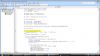
When you get such an error in any code , please click on the Debug button , and see which statement in the code is highlighted in yellow colour ; can you post a screenshot showing this ?

I assume that what ever PO numbers are present in Book3.xlsm will also be present in Book1.xlsx

Narayan
 
Hi Dalia ,

The name of the external book , which you have within the code is : Book1(11).xlsx

Is this workbook available in the same folder as Book3.xlsm or which ever workbook has this code ?

What the code is doing is that it checks if the external workbook is already open ; if it is , it sets the variable Active_wbk to this , else it opens the workbook and then sets the variable. Either way , if the workbook is not found , or you have it open but under another name , then this error can come. Can you check ?

Narayan
 
Hi @NARAYANK991,

yaa its working :) thanks a lot.

I have a question in that macro.

Suppose if ship date column whch is in column 2 is in column 6. Then where we need to change the code.


And will the macro work if both the files are shared by more than two people
And will it work if both the files are in shared folder
 
Hi @NARAYANK991
Sorry I missed another point i, i want the data which get deleted in book3 after filling ship date also paste vendor received date , count of lines and my name or the other person name in book1. how shall i do that. Please find below the sample(please note the column number in the sample is different than my source sheet. please guide me how can i change the column number as the original data is not with me)
 

Attachments

Hi Dalia ,

You will find the following statement somewhere at the top :

If Target.Column <> 2 Then Exit Sub

Change the 2 to what ever is the column number where you will enter the ship date.

Regarding the other requirements , give me some time.

Narayan
 
Back
Top