• Hi All

    Please note that at the Chandoo.org Forums there is Zero Tolerance to Spam

    Post Spam and you Will Be Deleted as a User

    Hui...

  • When starting a new post, to receive a quicker and more targeted answer, Please include a sample file in the initial post.

Conditional Formatting Duplication

J00m82

New Member
Hello,

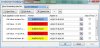
When I cut/copy information from a weekly report into the new excel file that contains conditional formatting I am often left either having to paint-fill individual cells or redo the conditional formats altogether. I've noticed some duplications in the conditional formatting. Any suggestions?

Thanks :)
 

Attachments

  • Conditional Formatting Duplication.jpg
    Conditional Formatting Duplication.jpg
    76.2 KB · Views: 8
  • Conditonal Formatting.png
    Conditonal Formatting.png
    21.1 KB · Views: 6
When you paste, don't do a regular paste which trasnfers the value and format. Instead, just do a paste value. You can learn to do this quickly by either adding the Paste Values button to the QAT (Quick access toolbar), or using keyboard shortcut of Alt+E, s, v.
 
Thanks for your reply Luke M. I do usually paste values, unfortunately I am still left with cells that are empty and unresponsive to format painter.
 
I'm not sure what you mean. If you start with the worksheet properly setup with CF, and then paste value, you're saying that the format gets erased somehow?
 
The CF is setup properly but some cells are left unaffected. Do you have ideas/suggestions what could be going wrong?
 
Back
Top