Good morning,
I have been working very long on creating an employee schedule which accounts for time zones and shift differences. I am so close, but the last comparison formula is flunking, and I have no idea why. I may be looking at this too long.
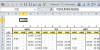
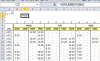
Anyway, I have weekdays broken down in .5 hour increments. I am comparing the .5 our increments to the scheduled time on the left, which can have up to two start and end times. I want a "1" to show up in the cells where the .5 hour increment is somewhere between the start and end time(s) for the shift. For some reason, the prior and now defunct formulas work on the time comparisons, but the new formula in Monday (columns AD:BY) do not work. I'm getting a false false and don't understand why.
Any assistance with this is appreciated!
I have been working very long on creating an employee schedule which accounts for time zones and shift differences. I am so close, but the last comparison formula is flunking, and I have no idea why. I may be looking at this too long.
Anyway, I have weekdays broken down in .5 hour increments. I am comparing the .5 our increments to the scheduled time on the left, which can have up to two start and end times. I want a "1" to show up in the cells where the .5 hour increment is somewhere between the start and end time(s) for the shift. For some reason, the prior and now defunct formulas work on the time comparisons, but the new formula in Monday (columns AD:BY) do not work. I'm getting a false false and don't understand why.
Any assistance with this is appreciated!