PRABHAKAR9020
New Member
Dear Sir/Madam,
I am enclosed here with my excel sheet name as "Prabhakar". In this sheet, sheet name as "MDB" is my data base and i want to get the solutions of following problem.
1). I have made and userform named as "TenderEntry" and when i click on seach button in userform, i get the details in useform corresponding to cells of data base with following code
>>> use code - tags <<<
Query: In above code i am giving column reference number like 2,3 in cells. but if suppose i add or delete a column from the data base then i have again reassign the column number in all the place of VBA coding. i want to give Header name in cells so that every time i don't have to modify the code if i add/delete the column of data base.
2). I have made a text box in sheet1 (MDB) in which when i type of Tender No. (which is 2nd column of database) then only row of that tender no get displayed and other gets hide i.e search box as per following code
>>> use code - tags <<<
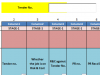
Query: When i protect this sheet, then this text box filed does not allow to search the data and gives error.
3). In this sheet1 (MDB) i have written the code of sheet protection but after protection the sheet, i am not able to increase the row height and column width.
>>> use code - tags <<<
Query: How to modify the VBA code for protecting cell so that it will allow to increase the row height and column width.
4). In the form there is text box "Name of Job"

Query: I want the data showing in this text box should be get wrapped so that i can scroll down if charactors length is very long.
5). In the from there is text box named "No. and Name of Techno-commercially acceptable bidders

Query: Actual data in excel corresponding to this cell is having para-change after 01 nos. and M/s Pargat Sing is in next line, but form is not showing in the same fashion as the data store, form is auto removing the next line command.
It would be great help if anyone please solve above queries.
Thanking you
Prabhakar
I am enclosed here with my excel sheet name as "Prabhakar". In this sheet, sheet name as "MDB" is my data base and i want to get the solutions of following problem.
1). I have made and userform named as "TenderEntry" and when i click on seach button in userform, i get the details in useform corresponding to cells of data base with following code
>>> use code - tags <<<
Code:
Private Sub cmdTenderSearch_Click()
Dim w As Worksheet
Dim TenderNo As String
Dim LastRow As Long
Dim i As Long

TenderNo = Trim(TenderEntry.TextBox1.Value)
Set w = Sheet1

With w
LastRow = w.Range("B" & Rows.Count).End(xlUp).Row
For i = 10 To LastRow
If w.Cells(i, 2).Value = TenderNo Then
' Page-1, Tender Registration
'--------------------------------
txtTender_No = w.Cells(i, 2).Value
Me.cmbRiskAndCost = w.Cells(i, 3).Value2). I have made a text box in sheet1 (MDB) in which when i type of Tender No. (which is 2nd column of database) then only row of that tender no get displayed and other gets hide i.e search box as per following code
>>> use code - tags <<<
Code:
Private Sub TextBox1_Change()
Application.ScreenUpdating = False
ActiveSheet.ListObjects("MT_Data").Range.AutoFilter Field:=1, _
Criteria1:="*" & [D2] & "*", Operator:=xlFilterValues
Application.ScreenUpdating = True
End Sub
Query: When i protect this sheet, then this text box filed does not allow to search the data and gives error.
3). In this sheet1 (MDB) i have written the code of sheet protection but after protection the sheet, i am not able to increase the row height and column width.
>>> use code - tags <<<
Code:
Sub ProtectFormulas()
Dim strPassword As String
With Sheet1
    .Unprotect
    .Cells.Locked = False
    .Cells.SpecialCells(xlCellTypeFormulas).Locked = True
    .Protect 'AllowDeletingRows:=True

End With
End Sub
Sub UnProtectFormulas()
With Sheet1
    .Unprotect
   MsgBox "Cell Un-Protected Successfully"
End With
End Sub4). In the form there is text box "Name of Job"
Query: I want the data showing in this text box should be get wrapped so that i can scroll down if charactors length is very long.
5). In the from there is text box named "No. and Name of Techno-commercially acceptable bidders
Query: Actual data in excel corresponding to this cell is having para-change after 01 nos. and M/s Pargat Sing is in next line, but form is not showing in the same fashion as the data store, form is auto removing the next line command.
It would be great help if anyone please solve above queries.
Thanking you
Prabhakar
Attachments
Last edited by a moderator: