• Hi All

    Please note that at the Chandoo.org Forums there is Zero Tolerance to Spam

    Post Spam and you Will Be Deleted as a User

    Hui...

  • When starting a new post, to receive a quicker and more targeted answer, Please include a sample file in the initial post.

Calculating days worked

sharkman

New Member
Hello,

Is there a formula I can use to calculate days I've worked in a given month? For e.g. I worked only 11 days last December (random days, not 11 straight) and for now I'm just manually calculating the days. I've tried the WORKDAYS and NETWORKDAYS formulas and they don't work, or maybe I'm doing them wrong. Again, I just want a numerical value.

Thanks for your help.
 
how do you record those days worked ?

What version of excel are you using , sp helpers then know what Excel version(s) & platform(s) you are using as the best solution often varies by version. (Don’t forget to scroll down & ‘Save’)

A SMALL sample spreadsheet, around 10-20 rows, would help a lot here, with all sensitive data removed, and expected results mocked up and manually entered, with a few notes of explanation.
 
Cross post
https://www.excelforum.com/excel-fo...8435-calculating-days-worked.html#post6051797
https://www.mrexcel.com/board/threads/calculation-days-worked.1277154/
 

sharkman

  • Cross-Posting. Generally, it is considered poor practice to cross post. That is to post the same question on several forums in the hope of getting a response quicker.
  • If you do cross-post, please put that in your post.
  • Also if you have cross-posted and get an Solution elsewhere, have the courtesy of posting the Solution here so other readers can learn from the answer also, as well as stopping people wasting their time on your answered question.
 
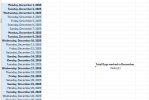
Sample included as requested. Days worked highlighted in bold.

Sorry for not mentioning the cross post
 

Attachments

  • Screenshot 2026-01-07 000731.png
    Screenshot 2026-01-07 000731.png
    54.3 KB · Views: 7
dont know what any of that means - are the bolded values days you worked ? - if so will need VBA to count bold cells
i did say
A SMALL sample spreadsheet, around 10-20 rows, would help a lot here, with all sensitive data removed, and expected results mocked up and manually entered, with a few notes of explanation.
and in january will this be added to or just replaced december = ????

thats NOT an excel file

Note: Images are difficult to see , and also requires that I input all the data myself, which means I may make an error, which is very time consuming, and from my point of view less likely to get a response, if a complicated spreadsheet. Plus we cannot see any of the formulas used.

Therefore -

A SMALL sample spreadsheet, around 10-20 rows, would help a lot here, with all sensitive data removed, and expected results mocked up and manually entered, with a few notes of explanation.
 
Sorry. Would you like me to upload the file? If so, how do I upload it?

Yes, the days in bold are the days I worked. The days worked will change month to month.
 
then you need to use VBA i think to do that , not something i provide
is that all you can do ?
maybe if instead of making bold you just put a 1 in the next column then you could use a countifs() or a SUMIFS() within a month range start and stop and just count or sum the ones
 
you have an answer on various excel forums you have posted to
however, as I asked a few posts ago
and in january will this be added to or just replaced december = ????

need to see exactly how this will be used in future - as the example stands - you dont need to have any dates - If however you are adding additional months , then you could use a date range OR you could use a pivot table to show ALL the months
 
Last edited:

sharkman

Bold could be a challenge, but
There seems to be marked times in B-and/or C-columns
=COUNT(FILTER(A:A,(B:B>0)+(C:C>0),"--"))
... will give number of those days
If there are dates outside of one month, then it would count number of all those dates.
... then You have to modify Filter to get one months numbers.
 
  • Also if you have cross-posted and get an Solution elsewhere, have the courtesy of posting the Solution here so other readers can learn from the answer also, as well as stopping people wasting their time on your answered question.
 
you have answers on various other forums
so a counta() will work as you plan to use a separate sheet per month

if you wanted 1 sheet with all the dates -then a pivot table
 

Attachments

Back
Top