
Joe Mazzone
New Member
Hello, I have a workbook named arrivals, I need highlight a row of cells when a cell is active.
For instance, data rows start from A3:N3, from these range, I need that when the any cell is active, I need that all the cells from A3:N3 to change color to:
Interior.Color = RGB(220, 230, 241)
And I need it to happen from any cell from A3:N62
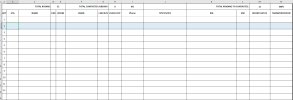
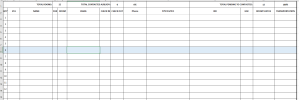
As you can see in the pictures. If I position in any cel, all the rest of the cells of that row, should change color.
Thank you so much in advance. You are simply the best.
For instance, data rows start from A3:N3, from these range, I need that when the any cell is active, I need that all the cells from A3:N3 to change color to:
Interior.Color = RGB(220, 230, 241)
And I need it to happen from any cell from A3:N62
As you can see in the pictures. If I position in any cel, all the rest of the cells of that row, should change color.
Thank you so much in advance. You are simply the best.

