• Hi All

    Please note that at the Chandoo.org Forums there is Zero Tolerance to Spam

    Post Spam and you Will Be Deleted as a User

    Hui...

  • When starting a new post, to receive a quicker and more targeted answer, Please include a sample file in the initial post.

Advanced filtering by ID

excelCoder

New Member
Hello guys,

I have used this tutorial to create a filter where it can be also searched by a caller id.

http://chandoo.org/wp/2012/11/27/extract-subset-of-data/

I have changed the Filtering system and display all ids in a dropdown list.

However that does not really work, because my filter does not narrow down to the wanted record. What I would like to display is just the record for the specified id.

Any recommendations on how to change this?

I appreciate your answer!
 

Attachments

Thanks a lot for your answer! However, there is a problem with the last file. When I put the id on * then I cannot use the other filters anymore. Any suggestion for a fix or is it possible that the other filters get a restricted list in their dropdown?

I appreciate your help!

PS.: I had a look at the excel macro:

Basically you just changed the range:

Code:
Sheets("RawData").Range("Q1:Q2"), CopyToRange:=Sheets("Filter").Range("B11"), Unique:=True

However, what I mean by my description above is. Is it possible to search with all other filters and using also the customer id as search parameter. When changing it to *, that would mean that the id does not matter and the other parameters matter...

Any recommendations?
 
Last edited:
@excelCoder

The problem is Call Id is stored as Number and * is the wild card for any character or blank space.
There are two ways of doing this:
1. Instead of * use >=1 in the list for all ID's
2. Covert ID in database to text.

See the attached file. I had adopted second method.

Regards,
 

Attachments

Thx for your answer again. However I tried both methods on this sheet and they do not work... Please have a look at my attached file.

I appreciate your answer!
 

Attachments

Thx for your help!

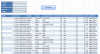
I fixed the range criteria. The problem is that it only seems to work once. After I have displayed the id it does not work anymore. When you have a look at the image I uploaded you can see that nothing gets displayed when using this filtering...

Any suggestions?

PS.: I tried it for several more times, however after doing filtering on ids and then going back to normal filtering with id = *. It does not display anything anymore(see my image).
 

Attachments

  • test.xlsm
    test.xlsm
    717.9 KB · Views: 0
  • Capture.PNG
    Capture.PNG
    17 KB · Views: 2
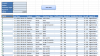
Thx a lot for your reply. However, I am really sorry for that ;(, but I do not get it. Opening your file from comment #5 I get:

I cannot explain why I get this output? Sorry if my questions are too pushy...


PS.: I am using excel 2010.
 

Attachments

  • Capture.PNG
    Capture.PNG
    44 KB · Views: 3
No need to be sorry.

I had converted the id on database to text. You can see green triangle in the corner. If you do that than it will come with *.

If you are unable to convert whole id column to text, write back I will assist you.

Regards,
 
Thanks a lot for your understanding. Here is the file I am using to solve this issue. I have also added a picture to desribe the issue I am facing...

The problem is, that event when converting the id`s to text it does not sort them correctly. Is this probably a dependency issue to the other filters? What can I do about this?
 

Attachments

  • test(1).xlsm
    test(1).xlsm
    682.5 KB · Views: 1
  • Capture.PNG
    Capture.PNG
    46.6 KB · Views: 1
The file you uploaded is correupted. Nothing is there in the file. Kindly, upload again.

Meanwhile, see the attached file.


Regards,
 

Attachments

Last edited:
Thx a lot! I am using your last uploaded file right now. The problem is that. When searching for an id it works. However, when searching with the other filters. Then searching for an id results in:

So basically it only works once... Any recommendations why that is so?
 

Attachments

  • Unbenannt.JPG
    Unbenannt.JPG
    66.7 KB · Views: 3
Dear,

You are trying to search 14832, but your last id is 10964. How will you get the result :eek:

Secondly, if you search north - 987 than 987 may have west, so how it can show data or laptop - north - 987 but in real 987 - desktop-west, so agian no result.


Please review it.

Regards,
 
Last edited:
Somendra Misra thank your very much for your answer. So stupid of me not to think about id`s which have already be deleted. Will probably restrict the selection in the dropbox, because than its not so hard for the user to search for a customer. Btw any recommendations for that how to simply do that?

Anyway, thx for help!
 
Back
Top