|

|
|
|
|
Friends and readers, my new download, Project & Program Management Templates is now available for your consideration. Click on above button if you are ready to pick them up. Keep reading if you want to know more. Who should buy these templates? Project Managers, Controllers, Analysts & Program managers. We have designed these templates keeping the needs of project & program managers, project sponsors & senior executives. What You'll Get The project management template pack comes in 2 flavors.
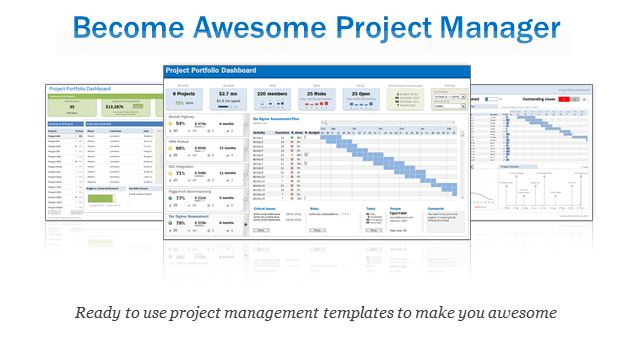
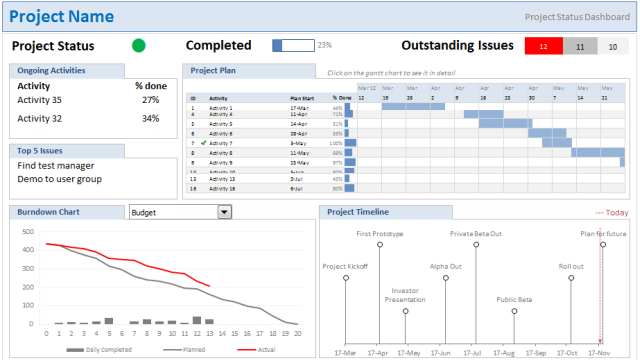
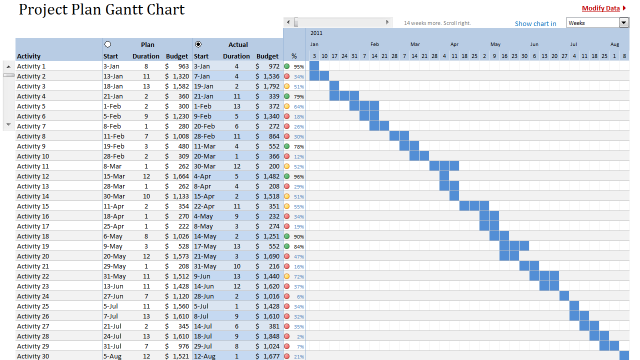
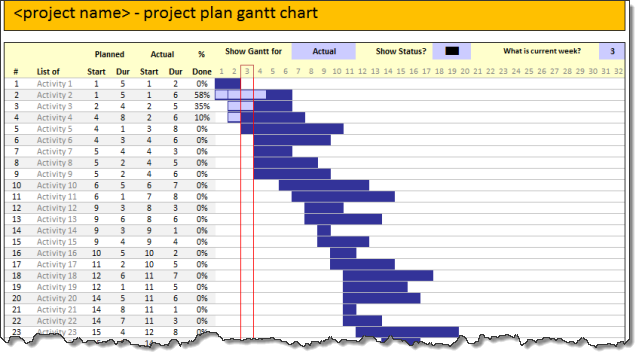
With Project Management Templates: You get 26 beautifully designed templates (spread in 20 Excel files) to manage all aspects of a single project - right from planning to tracking to reporting. Detailed list of templates you will get are:
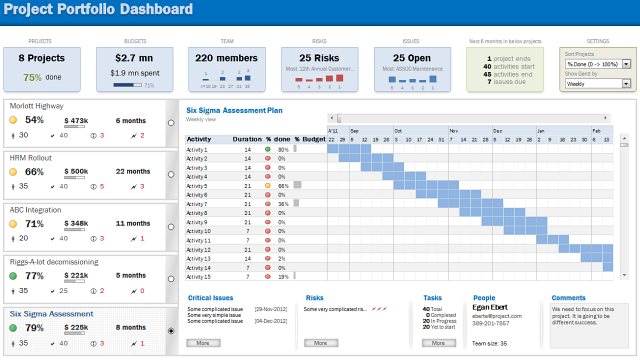
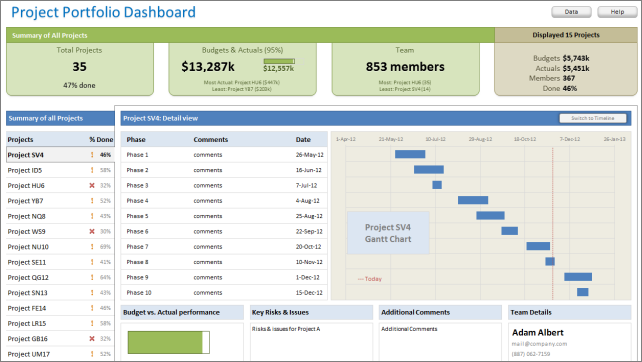
With Project Portfolio Management Templates: You get 5 professionally designed, very powerful Excel workbooks to keep track a bunch of projects with ease. You will get:
Benefits for you I have made these templates based on more than 7 years experience of working in various projects and using excel. It took me that long because I wanted to give you the best and most practical set of templates that you can readily use & succeed. You get many benefits with these templates:
About the Bonus Charting E-book Have you ever made a chart in excel and wondered how long it takes to make the chart look better in your presentations or reports? In this free bonus e-book, I explain simple techniques to convert a normal excel chart to a professional chart. With this 16 page e-book you can,
About the Free Updates Policy Lastly, I will be providing free updates for six months. Each customer is asked to fill out a short survey 2 weeks after the purchase. Based on the feedback, I'll revise the templates. And you will receive all such updates free in first 6 months after purchase. Supported Versions of Excel 
Get your copy of Project Management Templates
GREAT product - am using it for weekly management meetings to present a snapshot of individual projects' progress. Also really appreciated the after-sales support, it rarely happened to me to get such prompt help after having paid :) Keep up the good work. -Claudiu, Project Manager in FranceThe awesomeness guarantee I strongly believe that these templates can automate various project management tasks with little or no modification. I made these because I wanted you to be awesome. So for any reason, if you do not like the templates, please send me an e-mail (chandoo.d @ gmail.com) and I will refund your money. You have un-conditional money back guarantee for 30 days. What Happens when you Purchase? 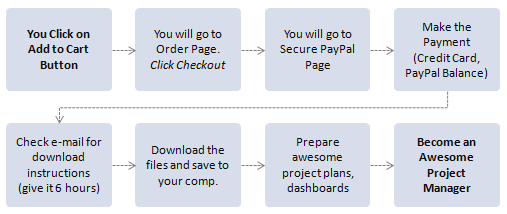
Have questions? Quantity Discounts & Licenses Each purchase gives you 2 licenses by default - one per office usage and one for personal usage. If need more licenses, please write to me at chandoo.d@gmail.com. Excellent!. I am an Engineer that need to provide a dashboard to our project director. I use your template and I made some tweaks to summarize/customize as per our requirement. The results were amazing. They love it. Thanks very much!!!! Daniel, Project Lead in Canada |
About Chandoo
Customer Testimonials Hi, I have just started to use the Gantt chart templates. They are very intuitive and so far EASY for me to use. Thank you very much for this product and the support/additional info! REALLY EXCELLENT – helps guys like me with limited Excel skills. I think that the templates are excellent. Beautiful! Excellent! I was looking forward to this and you’ve done it again. The template give me lot of convenience to monitor the thing to do. It is simple. Thank you Don't waste any more of your precious time! Order the Excel project management template collection, and get up and running right away.
|
|||
| Copyright © – Chandoo.org – Learn Excel and Charting Online – All rights reserved | ^ top |


 Hi there, at Chandoo.org, we have one goal - "to make you awesome in Excel and Charting". I have started writing about Excel & Charting in year 2007. Since then I have learned hundreds of things about using excel, becoming productive and shared them with our little community here. I have received prestigious MVP award from Microsoft for contributions made to Excel community for last 9 years (2009-2017).